Disclosure: Some links in this post are affiliate links. As an Amazon Associate I earn from qualifying purchases, at no extra cost to you. Learn more
Specs are compiled from manufacturer listings and verified buyer reviews and can change over time — please confirm the key details on the product page before buying.
If you want a tiny desktop that boots straight into Linux without fighting a locked-down BIOS, the short answer is this: the GMKtec K12 gives you the most headroom for the money, the ACEMAGIC K1 is the box owners actually run Ubuntu on every day, and the HP EliteDesk 800 G2 is the affordably-priced refurb that Linux tinkerers keep buying instead of a Raspberry Pi. The tricky part of this whole category is that a Mini Linux PC is only as good as its willingness to let you install what you want — a spec sheet full of CPU speed means nothing if the machine refuses to boot your distro.
This guide is built by comparing the manufacturers’ published specifications and the patterns across verified customer reviews, so you get each pick’s real strengths and trade-offs instead of marketing spin.
Some mini desktops ship with Linux already on the drive, others leave you to install it yourself, and the difference decides how much of your first evening you spend at a terminal. Below you will find which boxes truly cooperate with Ubuntu and which ones quietly shut down when you try — the details that separate a great mini linux pc from a paperweight.
Top Picks
![GEEKOM Office & Video Editing Mini PC [3-Year Coverage] A8 Max With AMD Ryzen 7 8745HS 16GB DDR5 1TB SSD](https://m.media-amazon.com/images/I/71qCNsM3JkL.jpg)
How To Choose The Best Mini Linux PC
The box that runs Windows perfectly can still be the wrong machine for you, because Linux asks different questions of your hardware. Before you compare CPU speeds, check whether the machine will actually let your operating system take over.
Bootloader and BIOS freedom
The first thing to confirm is whether you can change the boot order and disable Secure Boot. A machine that boots only from its original drive — and shuts down when you plug in an installer — is the single biggest trap in this category. Look for listings that mention Wake On LAN, RTC Wake, PXE boot, or BIOS configuration inside the OS, because those signal an open, tinker-friendly board.
CPU class and what it really buys you
For a home server, media box, or browsing machine, efficiency matters more than raw clock speed. An Intel N95 with 4 cores and 4 threads handles office work, streaming, and light containers without breaking a sweat, while a Ryzen chip with more threads gives you room for virtualization and heavier multitasking. Match the chip to your workload rather than chasing the biggest number on the page.
RAM type, slot count, and upgrade room
DDR5 moves data noticeably faster than DDR4, but the more practical question is how many slots you have and how far they expand. A box that ships with 8GB but supports 32GB or 128GB lets you grow into it, and dual M.2 slots mean you can add storage without tossing the drive that came in the box.
Ports, networking, and displays
Dual Ethernet turns a tiny desktop into a router, firewall, or NAS front end, while Wi-Fi 6 and Bluetooth 5.3 keep wireless peripherals stable. Count your monitor outputs too — USB-C with DisplayPort support is often the cleanest way to drive a second or third screen without extra adapters.
Side-by-Side Comparison
| Model | Best For | Processor | Memory | Storage | Amazon |
|---|---|---|---|---|---|
| GMKtec K12 Gaming Mini PC★ Best Overall | Heavy multitasking and eGPU setups | AMD Ryzen 7 H 255 | 32GB DDR5 | 512GB SSD | Amazon |
| GEEKOM A8 MaxEditor’s Pick | Office and video editing | AMD Ryzen 7 8745HS | 16GB DDR5 | 1TB SSD | Amazon |
| ACEMAGIC K1Proven Runner | Everyday Linux desktop use | AMD Ryzen R2544 | 8GB DDR4 | 256GB SSD | Amazon |
| BOSGAME E4 Air | Triple-monitor productivity | AMD Ryzen 5 3500U | 8GB DDR4 | 256GB SSD | Amazon |
| GMKtec G3S | Always-on media and Plex servers | Intel N95 | 8GB RAM | 256GB M.2 SSD | Amazon |
| HP EliteDesk 800 G2 | Refurb Linux tinkering | Intel i5-6500T | 16GB DDR4 | 240GB SSD | Amazon |
| HP ProDesk 600 G3 | Compact office and dual display | Intel i5-6500 | 8GB RAM | 256GB PCIe SSD | Amazon |
| Bmax B1 Plus | Light home and office tasks | Intel Celeron J3355 | 6GB RAM | 128GB eMMC | Amazon |
| DreamQuest Mini PC Linux | Linux preinstalled from the start | Intel N95 | 16GB DDR4 | 512GB M.2 SSD | Amazon |
Detailed Reviews
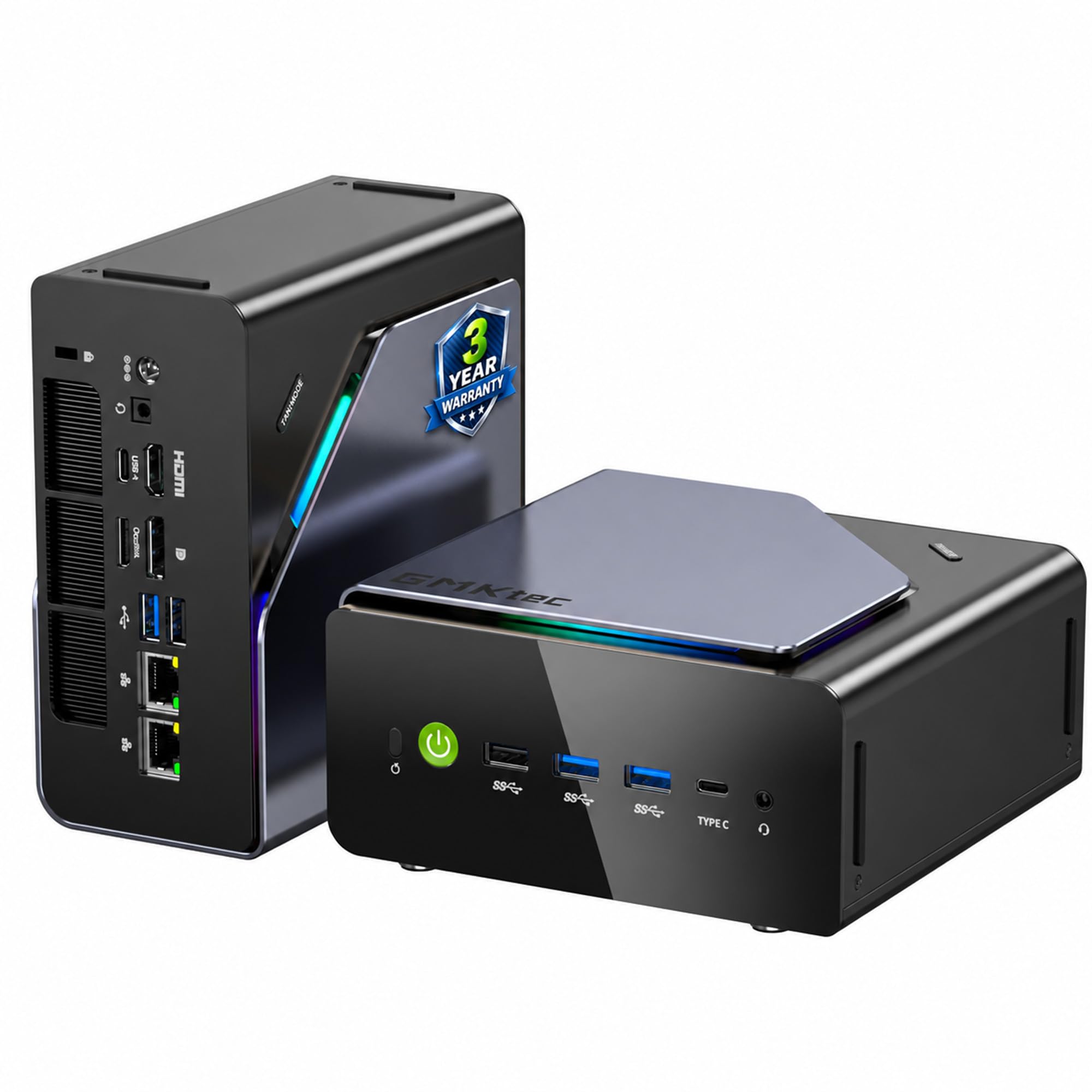
1. GMKtec K12 Gaming Mini PC
Our pick — 4.0+★ from 1,000+ verified ratings; the strongest balance of quality and price.
The box with enough RAM and rear bandwidth to grow into a full workstation
This is the pick for the Linux user who wants to run virtual machines, build containers, or dock an external GPU over Oculink (a high-bandwidth rear port that runs at PCIe x4 speeds). The Ryzen 7 H 255 chip carries 8 cores and 16 threads running up to 4.9 GHz, and the Radeon 780M integrated graphics (a built-in GPU, not a separate card) handles AV1, AVC, and HEVC hardware encoding to speed up video jobs.
The memory setup is the headline. Two 16GB DDR5 5600MHz sticks give you 32GB right from the start — four times what the ACEMAGIC K1 ships with — and the dual-channel design keeps feeds steady when you are scrubbing a 4K timeline or loading assets into a large language model. Storage is a 512GB PCIe 4.0 SSD, double the K1’s 256GB, sitting in one of three M.2 2280 slots that each take up to 8TB.
Around the outside you get dual 2.5GbE Ethernet for firewall, aggregation, or soft-routing duty, Wi-Fi 6E, Bluetooth 5.2, HDMI 2.1 at 8K@60Hz, and a Type-C port that carries power delivery, DisplayPort 1.4, and data at once. The two cooling fans keep noise down to 35dB in Quiet Mode, and a rear button shuts off the 13 RGB lighting modes if you would rather the box disappear behind your monitor.
What Earns Its Keep
- 32GB of DDR5 5600MHz across two sticks — four times the ACEMAGIC K1’s 8GB DDR4
- Three M.2 2280 slots supporting 8TB each, so storage scales without swapping drives
- Oculink rear port opens the door to an external GPU at PCIe x4
- Dual 2.5GbE Ethernet suits firewall, NAS, and routing builds
- 35dB Quiet Mode and a button to kill the RGB lighting
Where It Asks More Of You
- Priced at the top of this list, so it is a real investment
- Oculink eGPU setups need matching hardware you buy separately
Buy it when: you want one small machine that can host VMs, serve files over dual 2.5GbE, and still push 8K output.
Hold off when: a simple Linux desktop is all you need — the ACEMAGIC K1 gets owners there for far less.
2. GEEKOM A8 Max Mini PC
A Ryzen editing rig that stays under 36dB while you render
Start with the clock: the Ryzen 7 8745HS runs to 4.9 GHz, which is the fastest top speed in this group — it beats the 3.7GHz ceiling on the ACEMAGIC K1’s Ryzen R2544 by a wide margin. That headroom shows up in rendering and heavy browser workloads, and the 8K (7680×4320) maximum display resolution is the highest on this list.
What owners talk about most is exactly that performance, and they pair it with how compact and how quiet the machine runs. The IceBlast 2.0 cooling system uses dual copper heat pipes and a large fan to keep noise under 36dB, so it sits on a desk without announcing itself during a long export. Storage is a 1TB M.2 NVMe Gen4x4 drive upgradeable to 4TB, and the single occupied DDR5 slot leaves the second free so you can climb from 16GB toward 128GB when your workload grows.
The rear panel carries a 40Gbps USB4 port for an eGPU or high-speed RAID array, five USB 3.2 ports, dual Type-C, dual HDMI 2.0, a UHS-II SD card reader, and dual 2.5G Ethernet for physically separating an office network from a guest one. Windows 11 Pro arrives preinstalled and the warranty runs three years. If you plan to wipe the drive and drop on Ubuntu, this is a standard x86 machine with plenty of I/O — just budget the setup evening that any Windows-first box asks of you.
Editing rooms, on a budget: 4.9 GHz on tap, a real 1TB Gen4x4 SSD, and a 128GB memory ceiling in a fan-noise profile below 36dB is a serious combination for video work.
The honest caveat: it ships with Windows 11 Pro and only one memory slot is filled, so Linux switchers replace the OS and shoppers who want max RAM on day one must add a stick themselves.
Choose this if you split your time between editing and office multitasking and want the highest clock speed on the shelf.
Look elsewhere if preinstalled Linux matters more to you than raw clock speed.
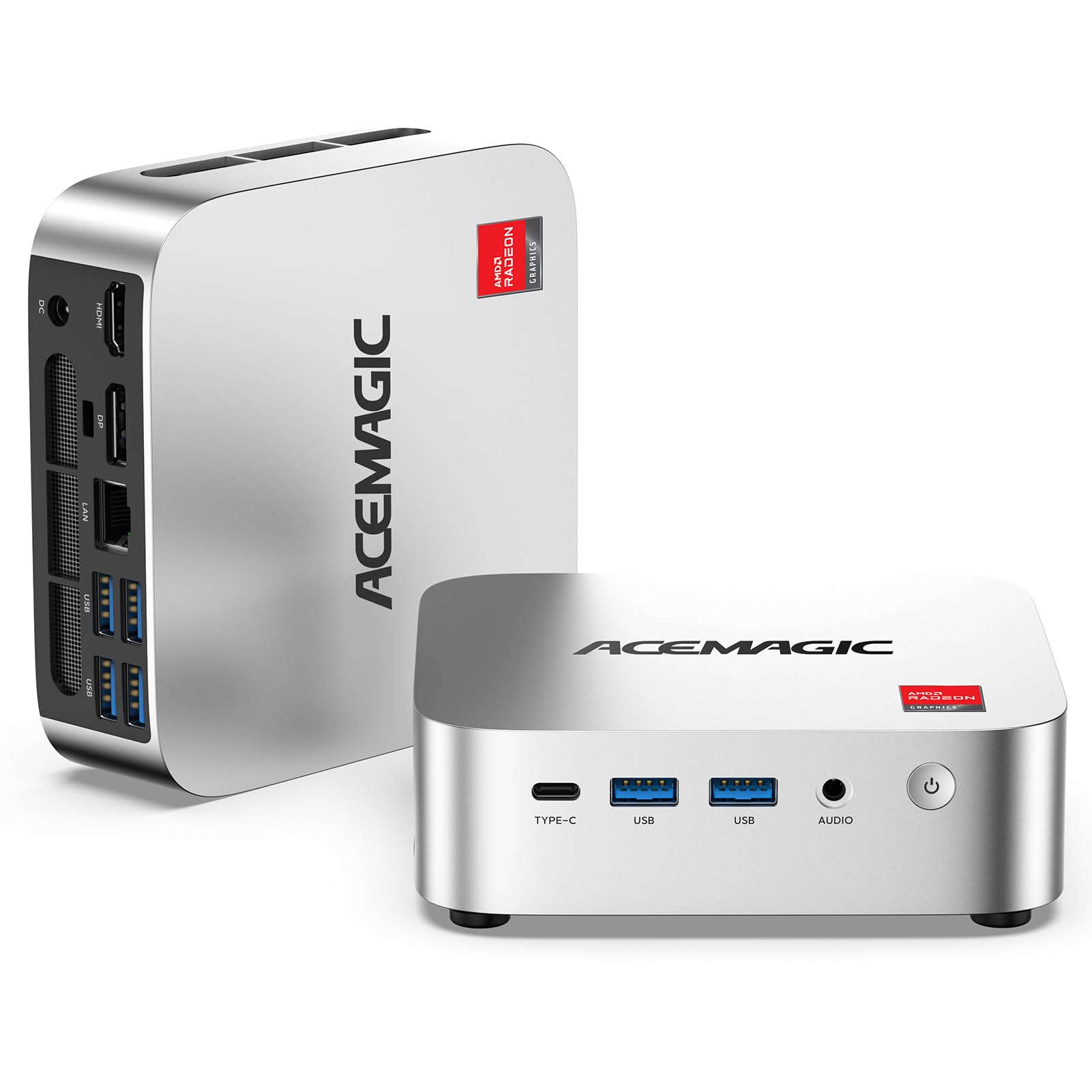
3. ACEMAGIC K1 Mini PC AMD Ryzen R2544 8GB DDR4 256GB SSD
The budget box that quietly became a year-round Ubuntu machine for real owners
If your Linux plan is a kitchen computer, a nightstand media center, or a small home server, this is the one to shortlist first. The Ryzen R2544 runs 4 cores and 8 threads up to 3.7GHz with Radeon graphics at 1300MHz across 8 cores — enough for browsing, streaming, and lighter container work. It holds 8GB of DDR4, which is a quarter of the GMKtec K12’s 32GB, and 256GB of SSD next to the K12’s 512GB.
The part that matters for you specifically: One long-term owner ran Ubuntu on this machine for about a year with no driver issues, moving it from a kitchen setup to a nightstand media center. That is the real-world proof most mini PCs never earn. Ports include six USB 3.2 connections with one USB-C Gen 2 port running 10Gbps and carrying DP 1.4 output plus power delivery, plus Gigabit Ethernet, Wi-Fi 5, and Bluetooth 4.2.
Auto Power On, RTC Wake, and Wake-on-LAN are all here, which is what makes it workable as a digital signage or firewall box. What wins owners over is the overall performance and the value — the machine does what a full tower did for a fraction of the footprint. The trade-offs are real but sized to the category: integrated graphics are for light entertainment only, and one frustrated buyer hit a wireless connectivity snag and found the support slow to respond. Two memory slots and dual M.2 bays mean you can upgrade past both limits later.
Where it earns its spot: the 10Gbps USB-C port doubles as a 4K@60Hz display output and power delivery input, so one cable can run your monitor and feed the machine.
Reach for this if you want a low-cost, upgradeable Linux desktop and can live with integrated graphics.
skip it if you need 4.9GHz-class CPU power, dual NIC, or a preinstalled Linux image.
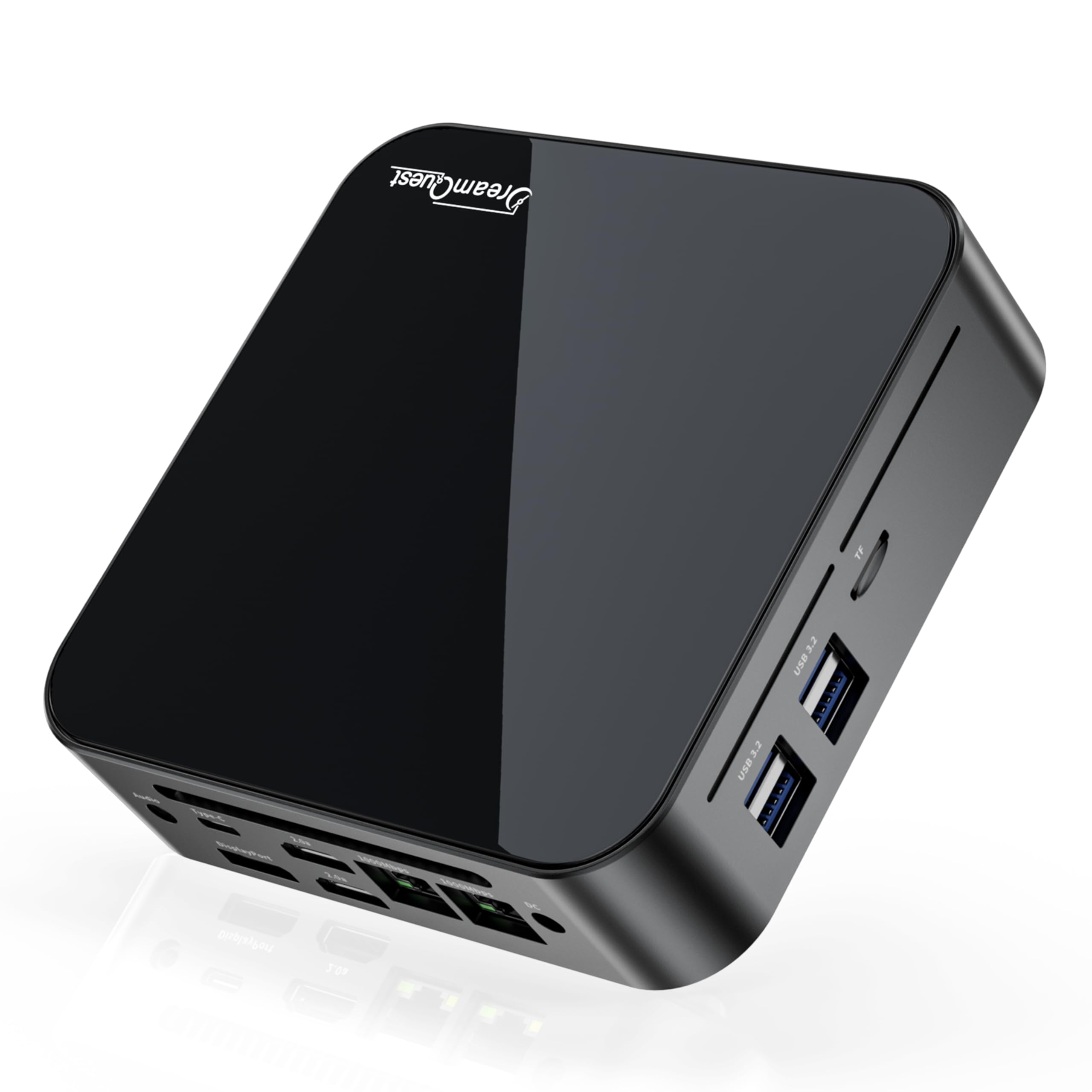
4. DreamQuest Mini PC Linux Preinstalled, 16GB DDR4 512GB SSD
The only box here that boots into Linux before you touch a USB stick
On paper this is the box a Linux buyer dreams about: an Intel N95 running up to 3.4GHz across 4 cores and 4 threads, 16GB of DDR4 3200MHz RAM expandable to 32GB, a 512GB M.2 SSD, and two M.2 2280 slots topping out at 4TB combined. It ships with Linux preinstalled and supports Ubuntu plus PXE network boot. Around the edges you get dual Gigabit Ethernet, Wi-Fi 6, Bluetooth 5.3, two Type-C ports running 10GB/s, four USB 3.2 ports, and triple 4K@60Hz output.
The trouble is what buyers actually received. Both verified accounts describe a machine that would not cooperate: one found the preinstalled system broke after an update and the correct password sent it back to the login screen, with no reply from support. The second hit shutdowns the moment they tried loading Ubuntu, Mint, or Windows, and connection trouble after a few weeks. That is a warning about the preinstalled image and the CMOS lockdown, not about the hardware spec, which reads well on paper.
Nothing about the parts list is wrong for a Linux desktop — N95 performance sits above the N100-class chips, and 16GB of RAM with dual M.2 slots is generous at this tier. The problem is the opposite of the GEEKOM A8 Max, where a clean standard machine asks you to bring your own OS: here the OS is already on the drive, but a locked board can refuse to let you replace it, and help is hard to find when it does.
What The Spec Sheet Gets Right
- Linux preinstalled with Ubuntu and PXE boot support — no installer needed to start
- 16GB DDR4 3200MHz, double the ACEMAGIC K1’s 8GB, expandable to 32GB
- Two M.2 2280 slots reaching 4TB total storage
- Wi-Fi 6, Bluetooth 5.3, dual Gigabit Ethernet, and triple 4K@60Hz output
What Owners Ran Into
- A broken preinstalled image after updates, with no support response reported
- The board reportedly refused other Linux and Windows installers, shutting down mid-boot
Worth a look if you want a Linux desktop with strong specs and are comfortable reflashing a stubborn board yourself.
Think twice if you want a machine that installs your distro on the first try without asking anything of you.
5. GMKtec G3S Mini PC Intel N95 Processor 8GB RAM 256GB M.2 SSD

A low-power box that lets Linux do the serving while it barely hums
The 12th Gen Intel N95 here runs 4 cores and 4 threads with 6MB of cache and bursts to 3.4GHz, paired with 8GB of DDR4 and a 256GB M.2 2242 SSD. Where it shines for a Linux user is as an always-on machine: Buyers report Intel Quick Sync handling 4K HDR transcoding with tone-mapping down to 1080p at low power — exactly what a home media server needs.
One owner describes dual-booting SUSE Linux after shrinking the Windows partition — a clean, supported path to running the distro you want. Others use it for cloud gaming and lightweight TV duty instead of native AAA titles, and the small footprint and near-silent fan come up in the same breath as fast boot times. Connectivity is USB 3.2 to 10Gbps, dual HDMI 2.0 at 4K@60Hz, Wi-Fi 5, Bluetooth 5.0, and Gigabit Ethernet at 1000MbE.
Compared with the Oculink-equipped GMKtec K12, this is the budget-minded cousin: no PCIe x4 external-GPU port, no 32GB ceiling, and a lower CPU clock. A small number of owners mention packaging could be better and one hit a dead front USB port, while a couple mention only three USB ports is tight for a permanent desk setup. It carries the same three-year limited warranty structure as the bigger GMKtec.
Server-first thinking: AV1 hardware decoding plus low idle power is what makes a tiny box worth leaving on all day for a Plex build.
Know before you buy: 8GB of RAM and three USB ports are the ceiling on convenience here, so plan your storage and peripherals around that.
Suits you if you want a quiet, cheap-to-run Linux box for streaming, downloads, and dashboards.
Pass on it if you need external GPU support or heavy virtual machine memory.
6. HP EliteDesk 800 G2 Desktop Mini

The cheap used workhorse Linux users keep buying instead of a Raspberry Pi
This is a Certified Refurbished machine with an Intel Quad-Core i5-6500T running up to 3.1G, 16GB of DDR4 across two slots that support up to 32GB, and a 240GB SSD. For Linux duty that is plenty of headroom, and the compact chassis comes with a USB keyboard and mouse in the box. Display output is handled by VGA and DisplayPort, and you get six USB 3.0 ports plus a USB Type-C port for fast peripherals.
What Linux buyers do with it is the interesting part. Owners describe it as a lower-cost stand-in for a Raspberry Pi, and one details installing Windows Server plus Hyper-V after swapping in an upgraded NVMe drive and adding memory. Another reports it running as a quiet, fast productivity machine that is not built for video or Illustrator work. The catch they run into is the HP BIOS, which cannot boot straight to GRUB without a delay — setting a boot delay of a few seconds clears it, and WiFi is mixed, with some units shipping without a working card and others fine.
The connectivity situation deserves a direct note: this model ships with VGA and DisplayPort only, so there is no HDMI here — unlike the dual HDMI 2.0 outputs on the GMKtec G3S or the single HDMI on the HP ProDesk 600 G3. Every unit also carries a minimum 90-day warranty rather than a full year, which is normal for refurbished hardware. For a Linux tinkerer who wants a real x86 box for server duty, though, the value math is hard for new budget mini PCs to match.
Why Tinkerers Like It
- 16GB DDR4 across two slots, expandable to 32GB
- Six USB 3.0 ports plus USB Type-C for peripherals
- Compact, quiet, and available as an affordable refurbished machine
- Owners successfully load non-Windows operating systems on it
What To Expect
- No HDMI output — the video ports are VGA and DisplayPort only
- WiFi reliability varies, with some units needing a replacement card
- The BIOS needs a boot-delay tweak before it will hand off to a Linux bootloader
The right call if you want a low-priced refurbished box and do not mind a BIOS setting and possibly a WiFi card swap.
Not for you if you need HDMI out or a warranty longer than the 90-day minimum.
7. HP ProDesk 600 G3 Mini PC

A tidy refurbished desktop that gets two monitors running for very little
Take the HP EliteDesk 800 G2’s chassis idea and strip the RAM and storage back: this ProDesk 600 G3 pairs an Intel Quad Core i5-6500 running 2.5GHz base up to 3.1GHz with 8GB of DDR4 and a 256GB PCIe solid state drive. It covers office productivity, web browsing, and multimedia without asking much of you, and it supports dual 4K displays at 3840×2160 so you can spread a workflow across two screens.
Where it differs from the EliteDesk is the kit in the box — this one arrives with a USB keyboard and mouse plus a USB WiFi and Bluetooth adapter, which is a real convenience if you are setting it up away from a router. Windows 11 Pro 64-bit ships installed with English, Spanish, and French language support. The compact case is easy to tuck away, and the low base clock keeps power draw modest for a machine that stays on.
One thing worth flagging honestly: the processor here is a 2.5GHz base chip with the same 3.1GHz ceiling as the EliteDesk’s i5-6500T, and it holds 6MB of cache where the EliteDesk has 8MB. The 256GB PCIe drive is roomier than the EliteDesk’s 240GB, and the included wireless adapter solves one of the EliteDesk’s more common gripes. Neither machine is a video-editing rig, but for a Linux box for browsing, SSH, and light coding, both come in well under the new mid-range options in this article.
What You’re Really Buying: 8GB of DDR4, a 256GB PCIe drive, and a keyboard, mouse, and wireless adapter bundled in — a full desktop setup from one box.
Best for someone who wants a low-cost, prebuilt refurbished desktop with wireless built in and does not want to hunt down accessories.
Something to weigh is the 8GB of RAM, which is half the EliteDesk’s 16GB and will feel tight if you like many browser tabs open.
8. Bmax B1 Plus Mini PC
A palm-sized Linux starter box you can bolt to the back of a monitor
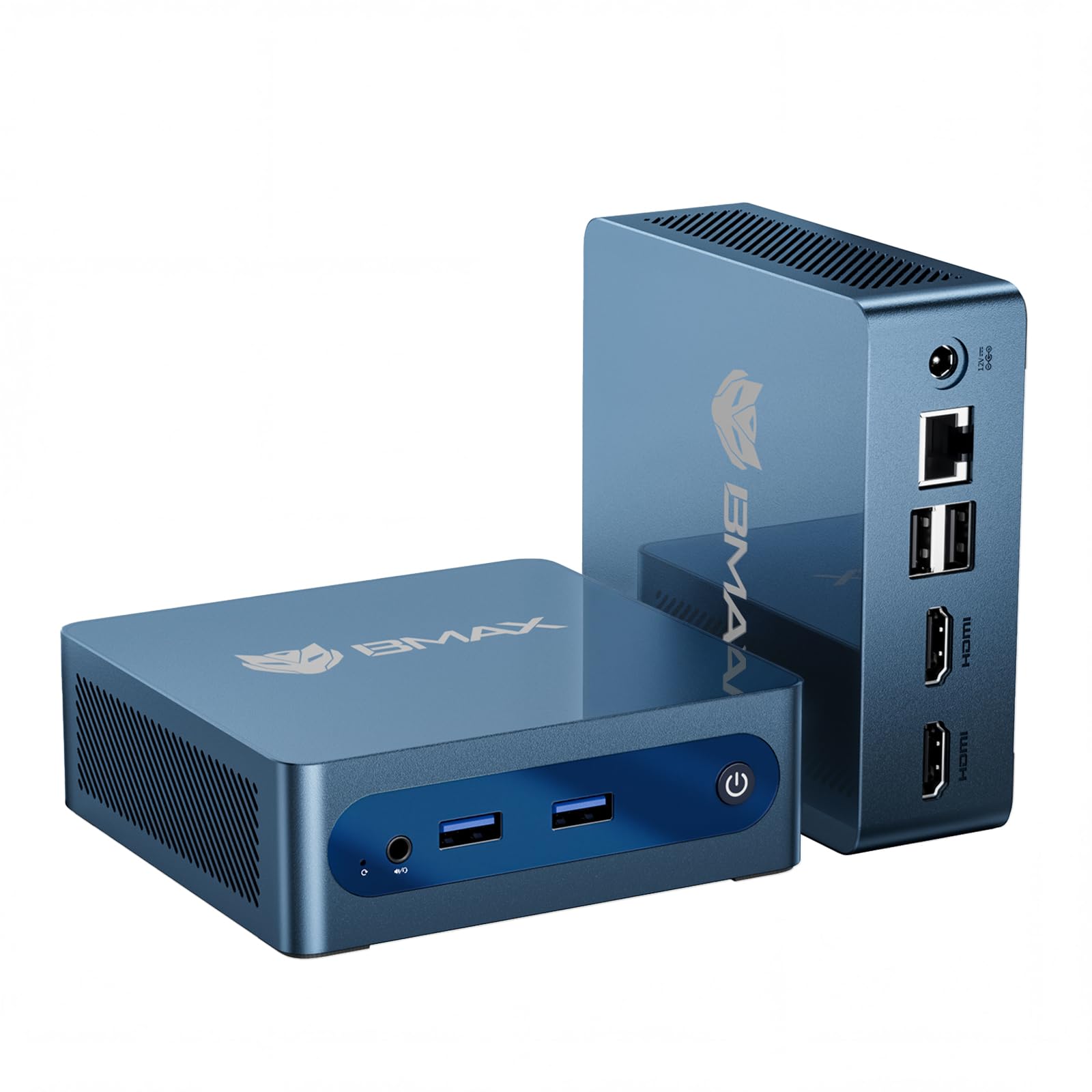
For a first Linux machine, a dashboard display, or a light home-office PC, this Bmax covers the basics. The Intel Celeron J3355 runs up to 2.5GHz, backed by 6GB of LPDDR3 RAM and 128GB of onboard storage, and it preinstalls Windows 11 Home while supporting Linux and Ubuntu. Two M.2 slots — one SATA and one NVMe — let you add up to 2TB of storage without pulling the original drive, which is unusual at this tier.
The physical footprint is the defining trait. At 4.2×4.1×1.4 inches and 0.49 lbs, it disappears behind a monitor using the included VESA bracket, and the smart silent fan plus heat sink keep it cool around the clock. Intel HD Graphics 500 drives two 4K@60Hz outputs over dual HDMI, so a two-monitor home office or a stock-trading setup fits comfortably. Dual-band WiFi at 2.4G and 5G, Bluetooth 5.0, and Gigabit Ethernet cover the connections.
The One-Click Restore feature (press F9) is the most useful detail for a Linux user who experiments — if a config change breaks the machine, you recover the system from a single keypress instead of reinstalling from scratch. Compare the chip to the GMKtec G3S’s Intel N95 and the gap is plain: this is a lighter-duty processor for web browsing, documents, and media playback rather than transcoding or virtualization. It is backed by a 12-month warranty and lifetime technical support.
What It Nails
- 4.2×4.1×1.4 inches and 0.49 lbs — mounts behind a monitor on the included VESA bracket
- Two M.2 slots (SATA plus NVMe) expandable to 2TB without removing the stock drive
- Dual HDMI 4K@60Hz output for two-monitor setups
- F9 One-Click Restore recovers a broken system in minutes
What To Plan Around
- 6GB of LPDDR3 RAM is the lowest on this list and is not upgradeable
- A Celeron J3355 is for light tasks only — no transcoding or virtualization
Tailor-made for a clutter-free desk where the machine never needs to be seen, doing browsing and documents all day.
Steer clear if you plan to run containers, a media server, or anything memory-hungry.
9. BOSGAME E4 Air Mini PC

Three 4K monitors and two network lines from one small Ryzen box
The Ryzen 5 3500U here runs 4 cores and 8 threads up to 3.7GHz with Radeon Vega 8 integrated graphics, matched to 8GB of DDR4 RAM and a 256GB SATA SSD. It is a sensible middle-ground chip — the same 3.7GHz ceiling as the ACEMAGIC K1’s R2544, but with a faster SATA-to-Vega graphics layer for HD video editing and spreadsheet work. Owners describe it handling heavy web browsing without strain and being simple to set up.
What makes this one stand out for a Linux desktop is the display and network array. You can drive three 4K monitors at once through HDMI, DisplayPort, and USB-C, and the dual RJ45 Gigabit Ethernet ports open up firewall, router, and NAS front-end builds that the single-LAN machines here cannot touch. Wi-Fi 5 and Bluetooth 5.0 round out the wireless side, with USB 3.2 handling your faster peripherals.
There is one reliability note buyers should weigh for server duty: while many report the machine working well long-term, a subset report it stopping after about six months, so keep your data backed up and know the warranty terms. BOSGAME covers the whole machine for a year and parts for three years, and the unit carries FCC, ROHS, and CE certifications. For a small always-on machine at this price, it is a fair trade in exchange for the triple-display and dual-LAN flexibility the budget tier otherwise skips.
The Networking Angle: dual RJ45 ports plus triple 4K output is the combination that turns a tiny Ryzen box into a capable router or media hub.
Fine fit if you want three screens and two wired network lines from a compact, easy-to-set-up Linux machine.
Worth pausing over if you need proven long-term durability for an always-on server.
Know the Specs
CPU and Clock Speed
The processor model and its top speed determine what a small desktop can realistically do. An Intel N95 running 4 cores and 4 threads at up to 3.4GHz handles office work, browsing, and 4K playback with AV1 decoding; a Ryzen 7 8745HS hitting 4.9 GHz gives you headroom for rendering and virtualization. Match the chip to your workload — a faster clock helps interactive work, while more cores help when several tasks run at once.
Memory Type and Expansion Ceiling
DDR5 moves data noticeably faster than DDR4, but the ceiling matters more than the type. A box with 8GB and two DDR4 slots expandable to 32GB can grow with you, while 16GB of DDR5 in a machine that reaches 128GB gives you room for far heavier work. Check how many slots are occupied — a single filled slot leaves room to add more without replacing anything.
Storage Slots and Interface
Look at both size and slot count. A single 256GB drive is fine for a browsing box, but dual or triple M.2 slots let you add capacity without discarding the original drive, and NVMe drives move data faster than SATA. If you plan to store media or run databases locally, prioritize slot count as much as initial capacity.
Ports, Networking, and eGPU
Dual Ethernet enables firewall and NAS duty, USB-C with DisplayPort drives extra monitors cleanly, and a high-bandwidth port like Oculink or USB4 opens the door to an external GPU. Count your 4K outputs before buying — three displays require a mixture of HDMI, DisplayPort, and USB-C, and not every box offers all three.
Common Questions
Can I install Ubuntu on a mini PC that ships with Windows?
Why would a mini PC refuse to boot a Linux installer?
Is 8GB of RAM enough for a Linux desktop?
Do I need DDR5 or is DDR4 fine for Linux?
Can a mini PC run Plex transcoding in Linux?
What is Oculink and do I need it for a Linux PC?
Should I buy a refurbished HP or a new budget mini PC?
How important is dual Ethernet on a small Linux desktop?
Will a mini PC with 256GB storage be enough?
Do mini PCs run quietly enough for a bedroom?
Can I add more storage to a mini PC later?
Is a mini PC powerful enough for a home server running Linux?
The Bottom Line
For most people searching for the mini linux pc, the winner is the GMKtec K12 because its 32GB of DDR5 memory, three M.2 slots, dual 2.5GbE Ethernet, and Oculink port give a Linux machine the most room to grow into heavier work. If you want the highest clock speed on this list for editing and multitasking, the GEEKOM A8 Max at 4.9 GHz is the one to grab. And for a low-cost refurbished box that Linux tinkerers already run as a server, the HP EliteDesk 800 G2 is the one to reach for.
One last thing worth knowing: several of the boxes here run Linux beautifully the moment you install it, and the ACEMAGIC K1 and Bmax B1 Plus both sit among the higher-rated picks on this list, and the K1 has built a quiet reputation among long-term Linux users — the safest first buy if a big machine feels like overkill. Match the machine to the job, and almost any of these will serve you for years.
How we choose
We do not accept paid placement. Every pick is matched to a real buyer and a real use-case; we do not hands-on test units.
Sources
Specifications: manufacturer listings and product documentation. Review insights: verified customer reviews, as of October 2026. Pricing: not shown on this page (it changes often); check the current price via the retailer link.
As an Amazon Associate, Aappliancez earns from qualifying purchases. This does not affect which products we feature.