Disclosure: Some links in this post are affiliate links. As an Amazon Associate I earn from qualifying purchases, at no extra cost to you. Learn more
Specs are compiled from manufacturer listings and verified buyer reviews and can change over time — please confirm the key details on the product page before buying.
If your streaming stick freezes or stutters after you add a few apps, the fix is memory. A player with 2 GB of RAM keeps menus snappy for years. A bare-bones stick starts stuttering the moment you install a few apps. This guide covers five proven players and what each one does best.
This guide is built by comparing the manufacturers’ published specifications and the patterns across verified customer reviews, so you get each pick’s real strengths and trade-offs instead of marketing spin.
Every pick below was judged on resolution, storage, and setup friction rather than brand hype. If you want the short answer on which cheap streaming device deserves your HDMI port, it is the memory and the Wi-Fi band that decide it. That is exactly what the five picks below are sorted by.
Top Picks

How To Choose The Best Cheap Streaming Device
Four things decide whether a budget streaming player feels easy or infuriating after six months: memory, storage, Wi-Fi band, and whether the remote can also run your TV.
Memory beats raw speed on a budget player
RAM is the workspace where an app sits while it runs, and it is the number that separates a smooth menu from a laggy one. A player with 2 GB of RAM has room to hold a heavy app like a streaming service interface without constantly reloading it. A player with less will still work, but expect the odd stutter when you switch apps quickly.
Storage limits how many apps you can actually keep
Internal storage is where downloaded apps live permanently. 8 GB is workable if you stick to a handful of services, while 16 GB leaves comfortable headroom. If you install a dozen apps and never touch half of them, storage is the spec you will hit first.
Match the Wi-Fi band to where your router sits
Dual-band means the player can use either the 2.4 GHz band, which travels further through walls but moves data more slowly, or the 5 GHz band, which is faster but has a shorter reach. If your router is in another room, you want a device that supports both so you can pick whichever signal is stronger at your TV.
Check the remote against your TV
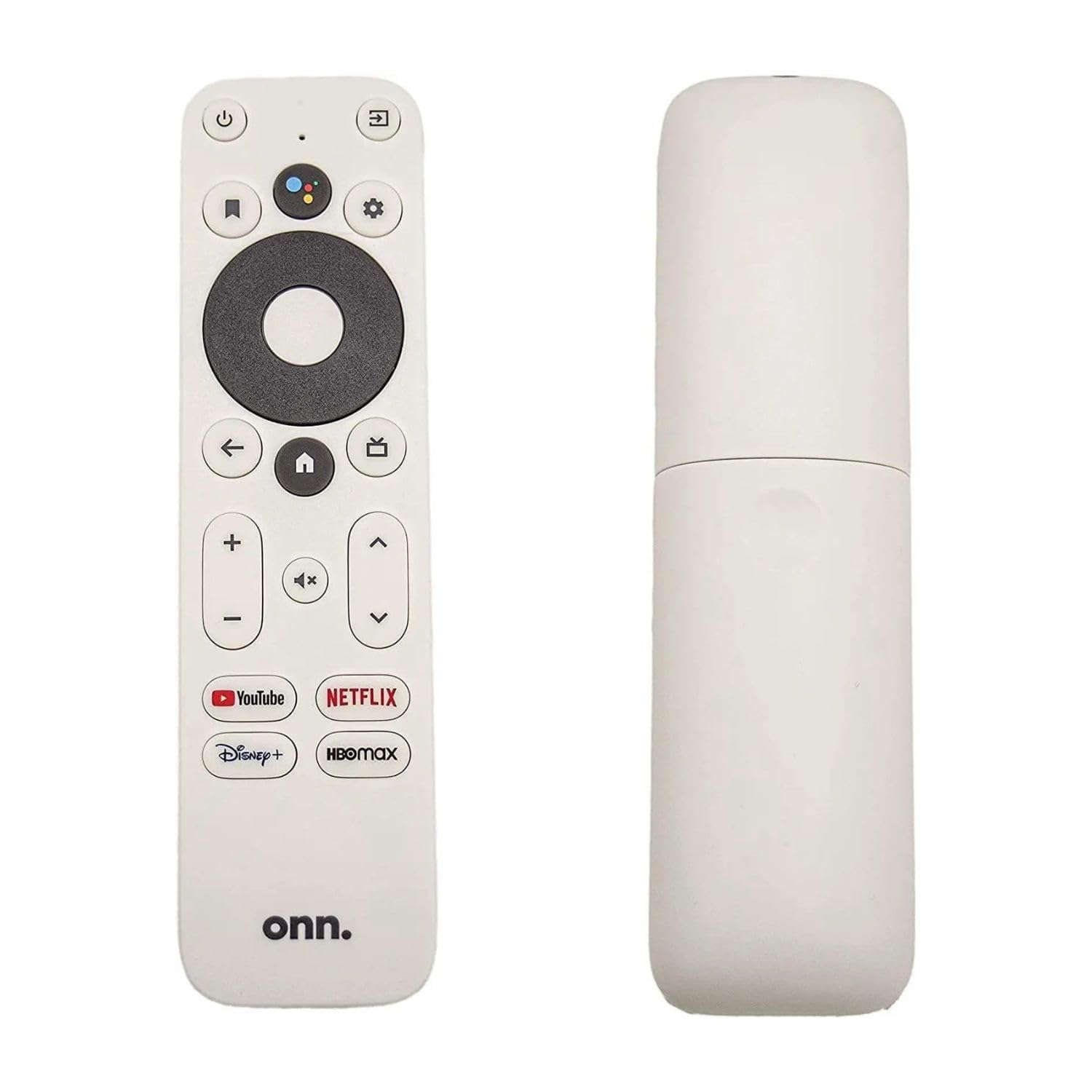
Some remotes handle only the streaming player, leaving you to hunt for the TV remote to change volume. Others control power and volume on the TV as well. If you hate juggling two clickers, that single feature is worth more than any spec bump.
Side-by-Side Comparison
| Model | Best For | Resolution | Storage | Weight | Amazon |
|---|---|---|---|---|---|
| onn. 4K Streaming Device with Google TV★ Best Overall | Faster everyday navigation | 4K Ultra HD | 8 GB | 11.68 ounces | Amazon |
| Roku Express 4K+Top Performer | Zero-fuss setup on any TV | 4K / HDR | 16 GB | 1.6 ounces | Amazon |
| Roku Premiere | Reviving an old 1080p set | HD / 4K / HDR | — | 1.28 ounces | Amazon |
| Roku Express 4K+ with Premium HDMI Cable | Cable-included first setup | 4K / HDR | 128 GB | 3.2 ounces | Amazon |
| Amazon Fire TV Stick HD | First-time streamers | Full HD | — | — | Amazon |
Detailed Reviews
1. onn. 4K Streaming Device
The Android-powered box that owners keep swapping their Fire Sticks out for.
If you have ever watched a spinner sit on screen while a cheaper stick thinks about loading, this is the pick that fixes it. The onn. 4K Streaming Device pairs 2 GB of RAM (the working memory apps need while running) with 8 GB of storage, which is the combination that keeps menus moving instead of hanging. You also get 4K Ultra HD with Dolby Vision, a picture format that sharpens contrast and colour on TVs that support it, so dark scenes in movies hold onto their detail rather than turning into a grey mush.
Buyers praise the overall quality of this player more than anything else, with setup a close second. One reviewer wrote: “Great product! I’m so impressed I have been switching from the fire stick version to ONN for all my streaming of video.” Others describe replacing a malfunctioning 4K Fire Stick and finding the Android platform more intuitive, with easy HDMI setup and a better remote than the one it replaced. A recurring theme is that this system runs without the buffering and pausing that plagued their previous player.
Two things deserve a fair mention before you commit. The software underneath is Google TV, Google’s own interface rather than an Amazon one, and that matters because it lets you sideload apps rather than being locked to a single store — a detail buyers keep calling out as the reason they switched. The other is format. It is a TV stick that plugs straight into an HDMI port, so it hangs off the back of the TV without a shelf or a separate power brick sitting on your furniture. Weighing 11.68 ounces, it is markedly heavier than the Roku Premiere at 1.28 ounces, which depends on the extra hardware packed inside for that smoother performance.
What earns its keep
- 2 GB of RAM keeps app switching fluid instead of laggy
- 4K Ultra HD with Dolby Vision for deeper contrast on supported TVs
- Wi-Fi 6 dual-band 2.4/5 GHz (802.11ax) helps cut buffering
- Voice remote with Google Assistant for searching without typing
- Android foundation lets you sideload apps beyond one store
Where it asks patience
- At 11.68 ounces it is the heaviest pick here, so it can tug on a loose HDMI port
- 8 GB of storage fills quickly if you pile on apps
Reach for this if: you want a smooth, responsive menu and you are happy living inside the Google TV world.
Think twice if: your TV has a flimsy side-mounted HDMI port — the 11.68-ounce body is the weightiest of the five.
2. Roku Express 4K+ | Roku Streaming Device 4K/HDR with Voice Remote, Free & Live TV
Sixteen gigabytes of storage and a stubborn refusal to buffer.
This is the one to buy if you install a lot of apps and refuse to babysit them. The Roku Express 4K+ carries 16 GB of internal storage, which is double the onn. player’s 8 GB, meaning roughly twice the room for apps before you start deleting things to make space. It streams in HD, 4K, and HDR, and the box itself is a hair over an ounce and a half, light enough to sit invisibly on a TV stand or hang off a rear HDMI port without complaint.
Where this player shines is performance and it is not close — smooth playback is far and away what people talk about most, with setup ease a distant but comfortable second. What nobody expects is how much free content comes bundled. You get 350+ free live TV channels through the Roku Channel, which is Roku’s own ad-supported streaming service, so there is something to watch before you sign into a single subscription. The remote handles your TV’s power and volume as well, and it works with Siri, Alexa, and Hey Google if you already have a smart speaker. Buyers report setup via the mobile app taking under twenty minutes, with the remote syncing itself to the TV automatically.
The honest caveat is connectivity. Wireless reliability gets mixed marks, so if your router lives two rooms away you may see the odd hiccup — that is a signal-strength problem rather than a fault in the box, and it is worth checking where your router sits before you buy. Some reviews also mention needing a credit card on file to complete setup, which is standard for platform-wide accounts but worth knowing beforehand.
The storage case: 16 GB against the onn. player’s 8 GB is the single biggest practical gap on this list, and it is exactly the spec that matters if you cycle through streaming services.
The real-world catch: mixed marks on wireless reliability mean a distant router can spoil an otherwise excellent box — keep it near your access point.
Who it beats: any player you would have to manage storage on — 16 GB buys you years of install-and-forget.
Who it does not suit: anyone whose router sits far from the TV, where that weaker signal shows up as occasional stutter.
3. Roku Premiere Streaming Media Player

The featherweight that brings a fifteen-year-old television back to life.
Own a big old TV that predates streaming entirely? This is the box for it. It handles HD, 4K, and HDR, and it ships with a Premium High Speed HDMI cable and a power adaptor in the box, so there is no accessory run before you can start.
Functionality is the reason people keep recommending it, and setup ease follows close behind. The reviews tell a consistent story about resurrection: an old television that had been gathering dust suddenly streaming Netflix, Hulu, and HBO on the big screen. As one long-term buyer put it, “Revived my old 15 years old tv.” Another mentions streaming 1080p without quality drops after this box solved buffering that a games console could not handle. There are shortcut buttons on the remote for the channels you use most, and automatic updates keep the channel list current without you doing anything.
Be realistic about the limits. This model is reported as discontinued, and older televisions with weaker internal processing may show the occasional stutter on live content — one reviewer noted that live content can hit the memory ceiling in HD, while on-demand works fine. If your set is genuinely ancient and its own video processing is weak, that is a TV limitation showing through rather than a fault in the player. For a bedroom set or a spare room, it is hard to argue with.
Best matched to: a bedroom or spare-room TV that needs a second life, where that 1.28-ounce body disappears behind the screen.
May frustrate: buyers chasing flawless live-TV playback on very old hardware — on-demand streaming is where this one stays comfortable.
4. Roku Express 4K+ | HD/4K/HDR Streaming Device with Voice Remote and Premium HDMI Cable

Cable in the box, voice in the remote, and a massive storage ceiling.
If the thought of hunting for the right HDMI cable fills you with dread, start here. This version of the Roku Express 4K+ ships with a Premium HDMI cable included, so the only thing you supply is a free port on the back of the TV. The headline number is storage: 128 GB, which is eight times the 16 GB of the Roku Express 4K+ above it. That headroom means you will almost never think about storage again.
Setup is the clear standout with this model — it is what buyers mention most, with streaming speed the next most-discussed trait. The voice remote searches across channels, adjusts volume, and powers the TV, and reviewers describe handing it to people who have never used a streaming device and watching them get it within minutes. On-demand playback is quick across the big services, and the interface stays bright and readable on older screens.
Connectivity, again, is the mixed signal. If your Wi-Fi reaches the TV reliably you will notice nothing. If it does not, bring the router closer or expect a hiccup. It is also worth flagging this is a heavier unit than the standard Express 4K+ at 3.2 ounces, though that still counts as light. Where this earns its place is the combination of an included cable and a storage ceiling that means you never open a settings menu to delete an app.
The no-fuss angle: the included Premium HDMI cable plus 128 GB of storage means one box, one hour, done — no accessory shopping, no app juggling.
The single wobble: connectivity draws mixed marks, so a weak signal at your TV will show up as buffering regardless of the storage ceiling.
Ideal if: you want the setup to be over in one sitting and never think about storage again.
Less essential if: you already own spare HDMI cables and prefer to spend on performance rather than capacity.
5. Amazon Fire TV Stick HD with Alexa Voice Remote

The one you can hand to a grandparent without writing instructions.
First-time streamers and households replacing a cable box are the natural audience here. The Fire TV Stick HD streams in Full HD, which is what a standard 1080p television actually needs, and the Alexa Voice Remote lets you press a button and just say the show you want rather than typing it out with arrow keys. You get access to hundreds of thousands of free movies and TV episodes through ad-supported apps like Prime Video, Tubi, and Pluto TV, so the box is useful the moment you plug it in.
Streaming quality is what people bring up most, and the setup experience is the close second. The recurring theme is reach: this stick turns any HDMI television into a smart one, at any age, without buying a new set. It also plugs into any TV’s HDMI port and travels easily, which is why some homes end up with one in every room. The remote includes quick-launch buttons for popular apps, and it will also dim lights or check the weather if you have compatible smart-home gear — voice control goes beyond just searching for shows.
The speed is where this one splits opinion. The interface is smooth for most owners, but this is a Full HD device, so there is no 4K or HDR output if you own a 4K television and want to use it. The remote also draws mixed feedback, which is note if you are picky about button feel. Buyers consistently mention that a clean, intuitive interface is what makes it friendly for older family members, and several describe moving from a cable subscription and not looking back.
Landing spot: anyone new to streaming, or a household that wants voice control and an interface a beginner can find their way around.
Leave it if: your TV is 4K and you want to actually use that resolution — this one tops out at Full HD.
Know the Specs
RAM and why 2 GB is the quiet hero
RAM is the short-term memory an app sits in while it runs. Too little and the player keeps reloading screens you have already seen, which is exactly what a laggy menu feels like. A device with 2 GB of RAM has enough headroom to hold a heavy streaming interface open without dumping it and starting over.
Single-band versus dual-band Wi-Fi
A dual-band player can join either the 2.4 GHz network, which travels further through walls but carries data more slowly, or the 5 GHz network, which is faster but has a shorter range. Single-band devices are stuck with one option. If your router is in another room, dual-band support gives you the flexibility to switch signals when one gets weak — worth checking before you buy.
Storage is a ceiling, not a speed
Internal storage is where installed apps live when they are not running. 8 GB is plenty for a handful of services, while 16 GB or more means you can leave a dozen apps installed without clearing space. Storage never makes streaming faster — it only decides how many apps you can keep installed.
HDR and Dolby Vision in plain terms
HDR is a picture format that widens the range between the brightest and darkest parts of the image. Dolby Vision is a specific version of HDR that handles that range scene by scene. Both need a TV that supports the format to show any benefit — on a plain 1080p set they change nothing, so do not pay extra for them if your TV cannot use them.
Common Questions
Will a cheap streaming device work on an old television?
Do I need 4K on a budget player if my TV is only 1080p?
Why does my streaming stick buffer even though my internet is fast?
How much storage do I actually need for streaming apps?
Do these remotes control my TV’s volume and power, or do I need two?
Is the onn. Google TV player better than a Fire TV Stick?
Do I need a separate power adaptor or extra cable?
Can I take a cheap streaming device travelling?
Will a budget player handle live TV channels?
Do I have to enter payment details to set these up?
The Bottom Line
For most people replacing a tired smart TV or a slow old stick, the cheap streaming device that does the most work is the onn. 4K Streaming Device with Google TV, because its 2 GB of RAM and Dolby Vision support keep the interface responsive and the picture detailed. If you want the storage headroom to stop thinking about app limits, the Roku Express 4K+ doubles it at 16 GB. And for a spare-room set that needs reviving, the Roku Premiere weighs just 1.28 ounces and disappears behind the screen. If you are buying for someone who has never streamed before, the Fire TV Stick HD is the one to hand over with confidence.
How we choose
We do not accept paid placement. Every pick is matched to a real buyer and a real use-case; we do not hands-on test units.
Sources
Specifications: manufacturer listings and product documentation. Review insights: verified customer reviews, as of October 2026. Pricing: not shown on this page (it changes often); check the current price via the retailer link.
As an Amazon Associate, Aappliancez earns from qualifying purchases. This does not affect which products we feature.